Branch checkout and file-based merging
Branches preserve progress on different approaches. Restore recovers a version, Checkout switches to a branch state, and Merge combines file changes into the target branch.
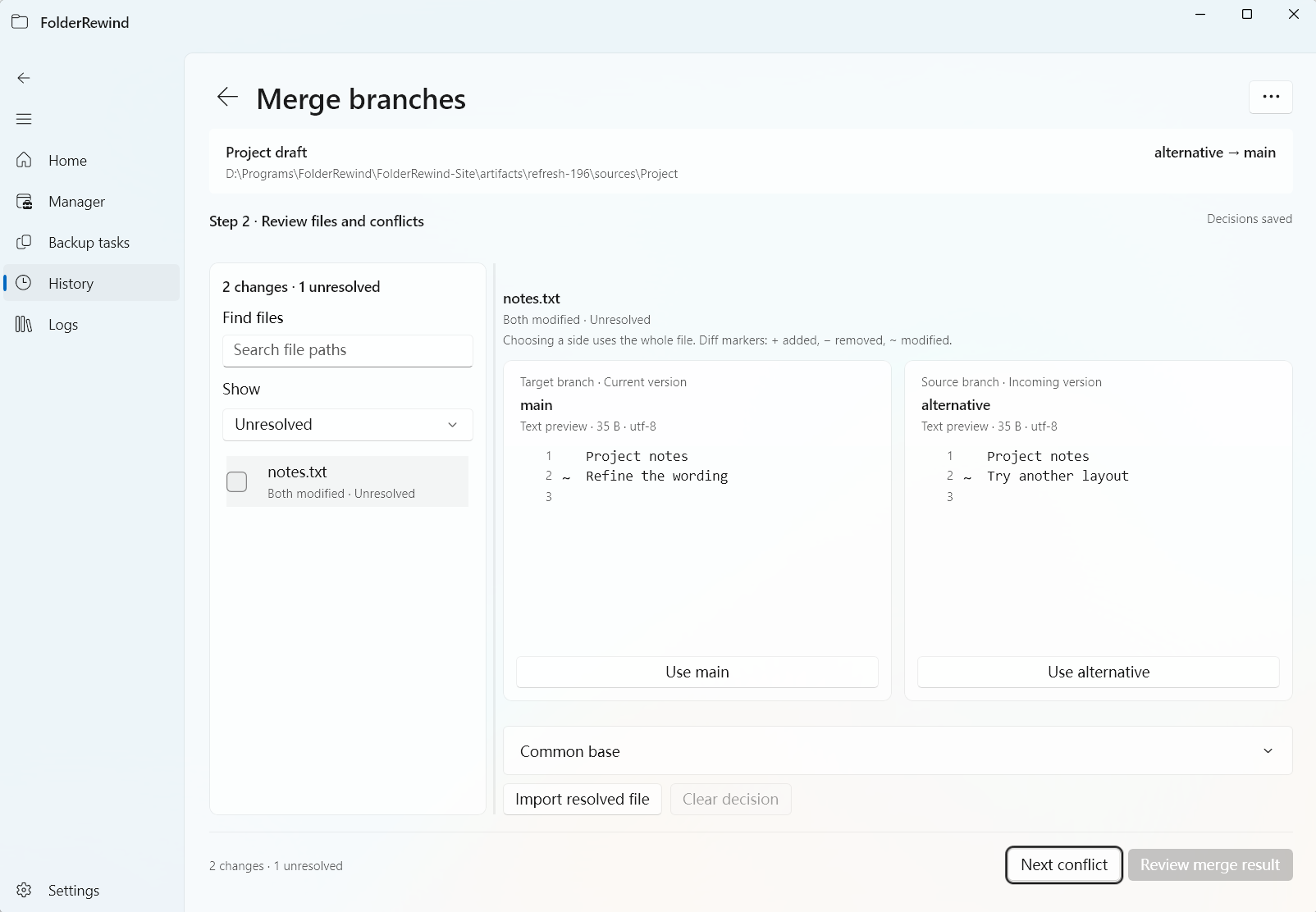
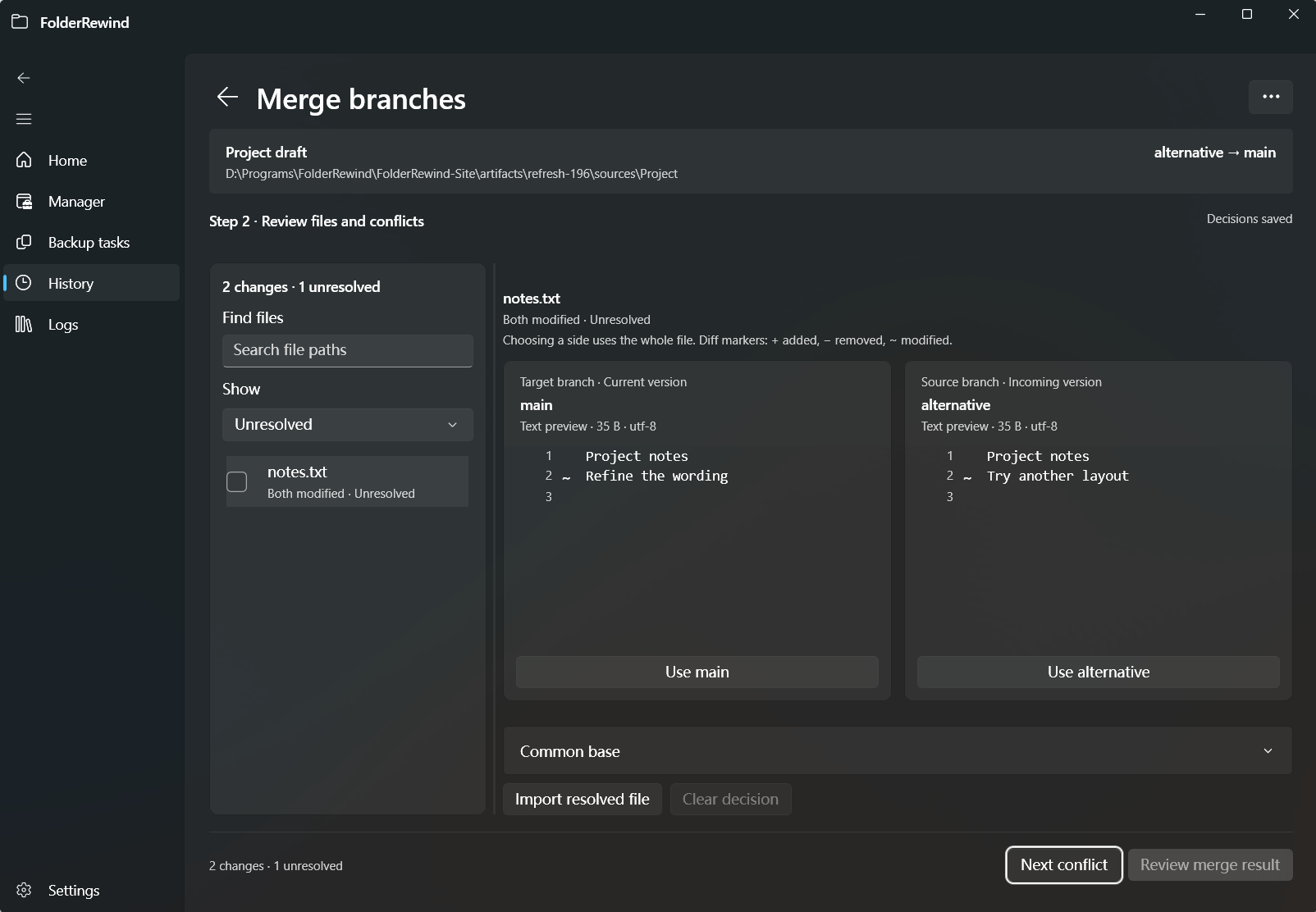
Changes to the same text file create a conflict; compare both versions before choosing a result. Interface version: 1.9.6.
Prepare branches
In advanced history, choose a project, source and complete restorable version, then create and name a branch. Historical bindings use source identity; matching folder names do not replace it.
If a backup migrated from 1.8 cannot establish deletion boundaries, restore it by overlay to a test location and create a new Full version before using it as an exact branch baseline.
Check out a branch
Select the target branch and review source mappings and actual paths before Checkout. When current uncommitted content needs protection, the protection policy creates a safety snapshot. A confirmation may require an explicit decision to discard current changes. Missing archive dependencies, path conflicts or unfinished recovery block the operation.
After checkout, check the active branch and files. Later backups continue from the new source baseline. Checkout does not use ordinary restore's player, whitelist or one-shot path preservation.
Resolve differences in the merge workspace
- Choose the target branch and other input. Prepare the common ancestor and any required local or cloud archives.
- Open the merge workspace and review three-way file differences. No-change, fast-forward and conflicting merges have distinct outcomes.
- Read text conflicts in the side-by-side comparison. Choose each result or apply decisions in bulk to similar conflicts.
- Review the final files before applying. You can reopen an unfinished merge session and continue later.
Merging operates on files. Minecraft .mca, NBT, stats and advancements do not support chunk- or field-level semantic merging. Choosing one file does not combine every piece of game data inside it.
Verify results and handle failures
Extraction, conflict decisions, compression and verification happen in staging first. External programs are coordinated before source writes; a merge with no writes can skip game exit.
Check the target branch, history and actual files after completion. CommittedRecoveryRequired means the commit exists but subsequent recovery is unfinished. Keep the diagnostic and use controlled recovery; do not apply again or automatically re-enter the game.
Practise with two small text files: change different files on each branch to check automatic merging, then change the same file to check conflict decisions, cancellation and reopening the session.